01
Save the words.
Use the toolbar popup to capture article text or a selected excerpt. Inspect the preview before saving.
 ReadBoard
READBOARD / CHROME
Save article text. Read without the clutter, highlight a useful passage and keep your own thinking beside it. Return when you have time.
Free features work without an account or payment.
A SMALL, USEFUL WORKFLOW
01
Use the toolbar popup to capture article text or a selected excerpt. Inspect the preview before saving.
02
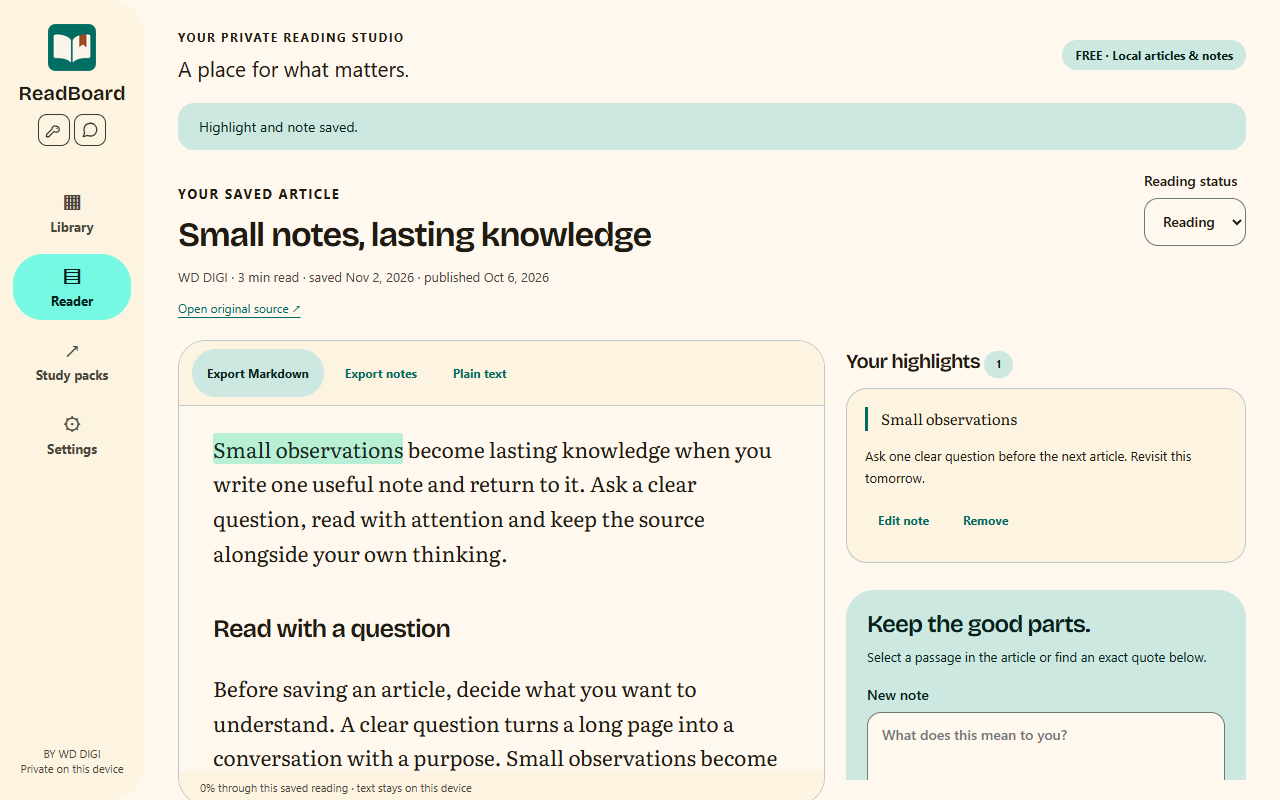
Read a local text snapshot. Highlight an exact passage, add a note and pick a comfortable reader theme.
03
Search saved titles, resume your reading position, or export Markdown and text with source links.
ON YOUR DEVICE
Articles, highlights, notes and reading position stay in this Chrome profile. Remote article resources and executable page content are removed. Saved text works offline. Export a full JSON backup before uninstalling or changing profiles. Research storage and backup files are not encrypted vaults.
Read the privacy policy →ReadBoard saves text, not a complete webpage or its images. Extraction can miss content; use the selected-text fallback. It does not bypass paywalls or support PDF/restricted browser pages.
Read the guide →FREE & PRO
30 articles, offline reader, highlights, notes, reading position, title search, text/Markdown export and JSON backup.
500 articles, content/highlight/note search, 50 collections and 100 study packs with up to ten sources each; HTML and print pack export.
Compare Free & Pro →READBOARD PRO
Lemon Squeezy: automatic renewal. Applicable tax is added at checkout.
DOKU: one payment for 365 days. Final total, Indonesia billing country only. No automatic renewal.
Choose your planOne license, one active Chrome profile.