Save the words.
Click the toolbar icon on an article. Preview the extracted text before saving. For tricky pages, save the text you select instead.
YOUR PRIVATE READING STUDIO
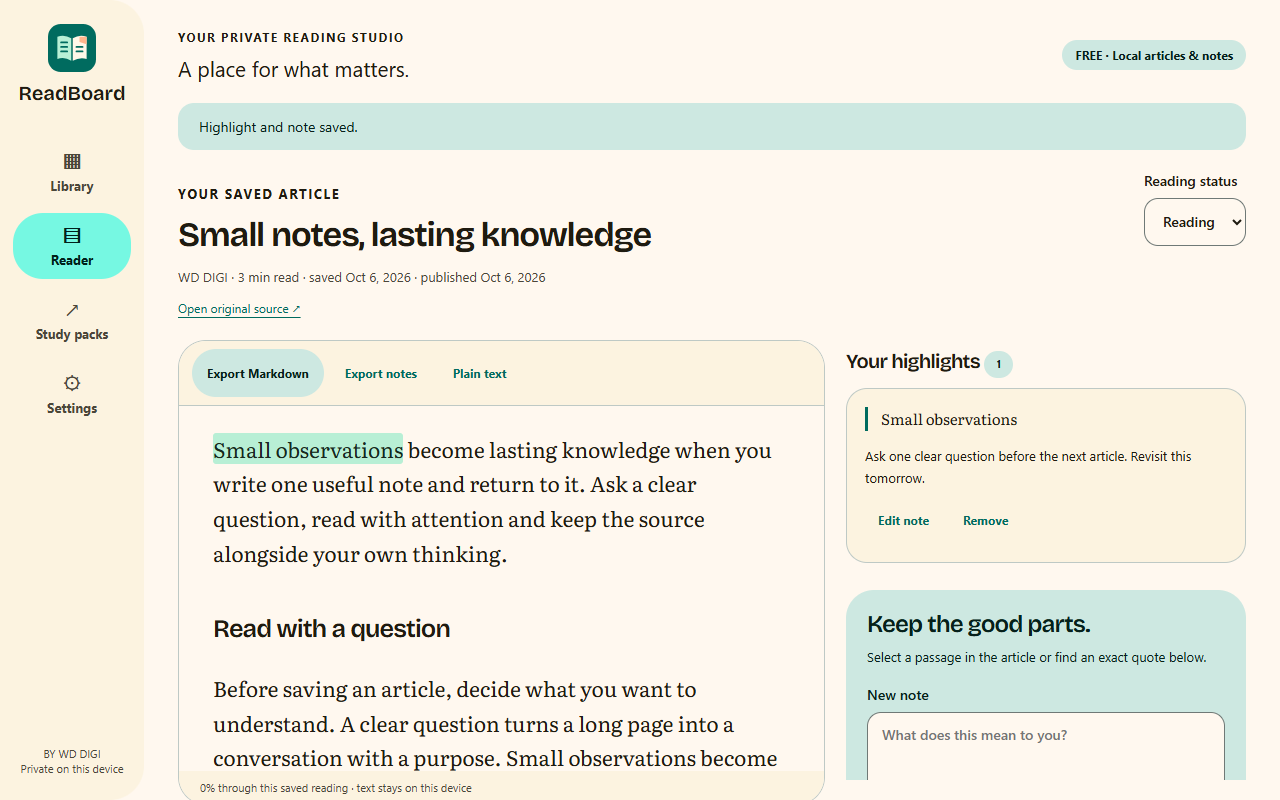
Keep the words you want to return to. Read without the clutter, highlight a useful passage, and put your own thinking beside it.
No account. No article uploads. Yours on this device.
“A reading queue becomes valuable when you return to it.”
MY NOTE
One idea to revisit tomorrow.
A SMALL LOOP. A LASTING IDEA.
Click the toolbar icon on an article. Preview the extracted text before saving. For tricky pages, save the text you select instead.
Read a quiet, local snapshot. Highlight a passage and add your own note. Warm light, sand or dark—choose what feels comfortable.
Find a saved title, pick up where you stopped, or export your notes with the source links. Keep a backup of what you want to keep.
FOR THE WAY YOU ALREADY READ
For learning, everyday research and the interesting page you want to finish. Keep a personal reading queue without turning it into another account to manage.
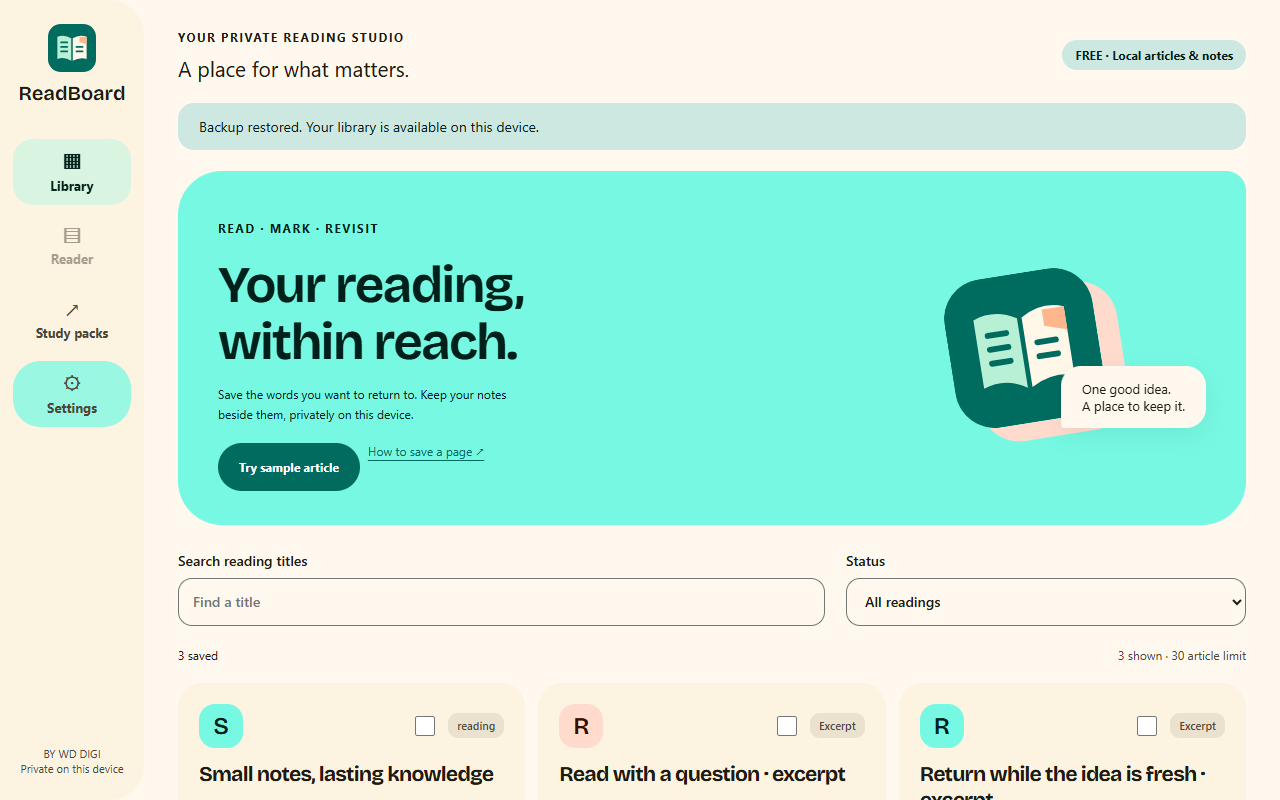
Saved text and notes live in your Chrome profile. Remote images and page scripts are removed. The reader works offline once you save an article.
Your saved text stays fixed. If the source changes, a new capture becomes a separate version. Highlights stay tied to the exact words you selected.
Text only. Some dynamic pages need the selected-text fallback. PDFs, restricted browser pages and paywall bypass are unsupported. See the limits.
Export a complete backup before uninstalling or changing Chrome profiles. Local storage is not a cloud backup.
FREE FIRST. ROOM TO GROW.
Read, highlight, take notes and export without a license. Pro v1 will add a bigger library, collections, body and note search, and ordered study packs.
Future checkout uses Lynk.id and Gumroad. Sales are being prepared; Free is ready to use.
See Free and planned Pro features →YOUR EVERYDAY READING KIT
GOOD TO KNOW
No. Capture starts only when you choose an action on the active page. You inspect the preview before saving it.
Yes. Saved text, highlights and notes are local. Original-source links and online help require a connection.
No. ReadBoard keeps text blocks such as paragraphs, headings, lists, code and table text. Preview every capture. Use a selected excerpt when extraction misses what you need.
Chrome can remove the only saved copy. Export a complete backup first, then restore that file in your new profile. Backup files are not encrypted.
The listing is being prepared. A manual-install Free ZIP is available; the store link will be added after approval.